
· WordPress · 5 min reading time
Google Analytics Alternative for WordPress: What I Wanted HitKeep to Do Differently
Why I prefer building a calmer, privacy-conscious analytics setup for WordPress instead of explaining one more GA4 dashboard.
I have seen a lot of WordPress analytics setups over the years. Small blogs, association websites, landing pages, company sites with three forms and one PDF download that is somehow business-critical.
Sooner or later, the same question shows up: do we really need Google Analytics for this?
My honest answer is usually: no, not if you mainly want to understand whether your WordPress site is doing its job.
GA4 is not bad. It is just very large, very indirect, and very tied into Google’s advertising universe. If you need Google Ads attribution, BigQuery exports, app streams, predictive audiences, or deep exploration reports, GA4 may still be the correct tool. But if you want to know which pages people read, where visitors came from, whether forms were submitted, and which campaigns worked, analytics should not become its own project.
That is the gap I wanted HitKeep to handle better.
WordPress analytics should not become a tag manager project
What bothers me about many tracking setups is the spiral. You start with a simple question, then suddenly you are inside consent banners, tag managers, debug views, custom events, and an interface that looks less like a report and more like a cockpit.
For WordPress, I wanted something more boring:
- Install the plugin.
- Choose the HitKeep instance.
- Check the privacy defaults.
- Save.
- Open the dashboard and verify that traffic arrives.
That is why HitKeep has a first-party WordPress plugin. Not because adding a tracking snippet to a theme is technically impossible. Of course it is possible. But it is exactly the kind of solution that breaks during a theme change and then sits around half-forgotten until somebody notices the charts are empty.
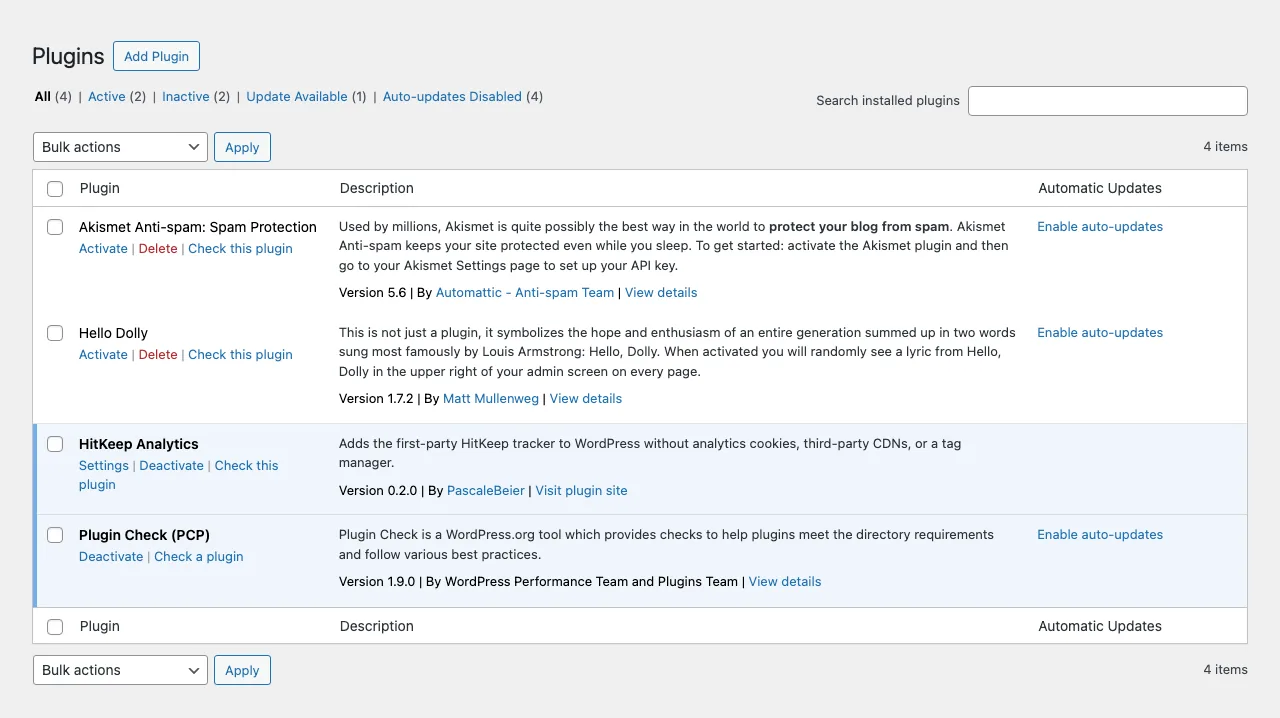
This is the kind of setup I wanted: install the plugin, activate it, and avoid turning a normal WordPress site into a tag-manager project.
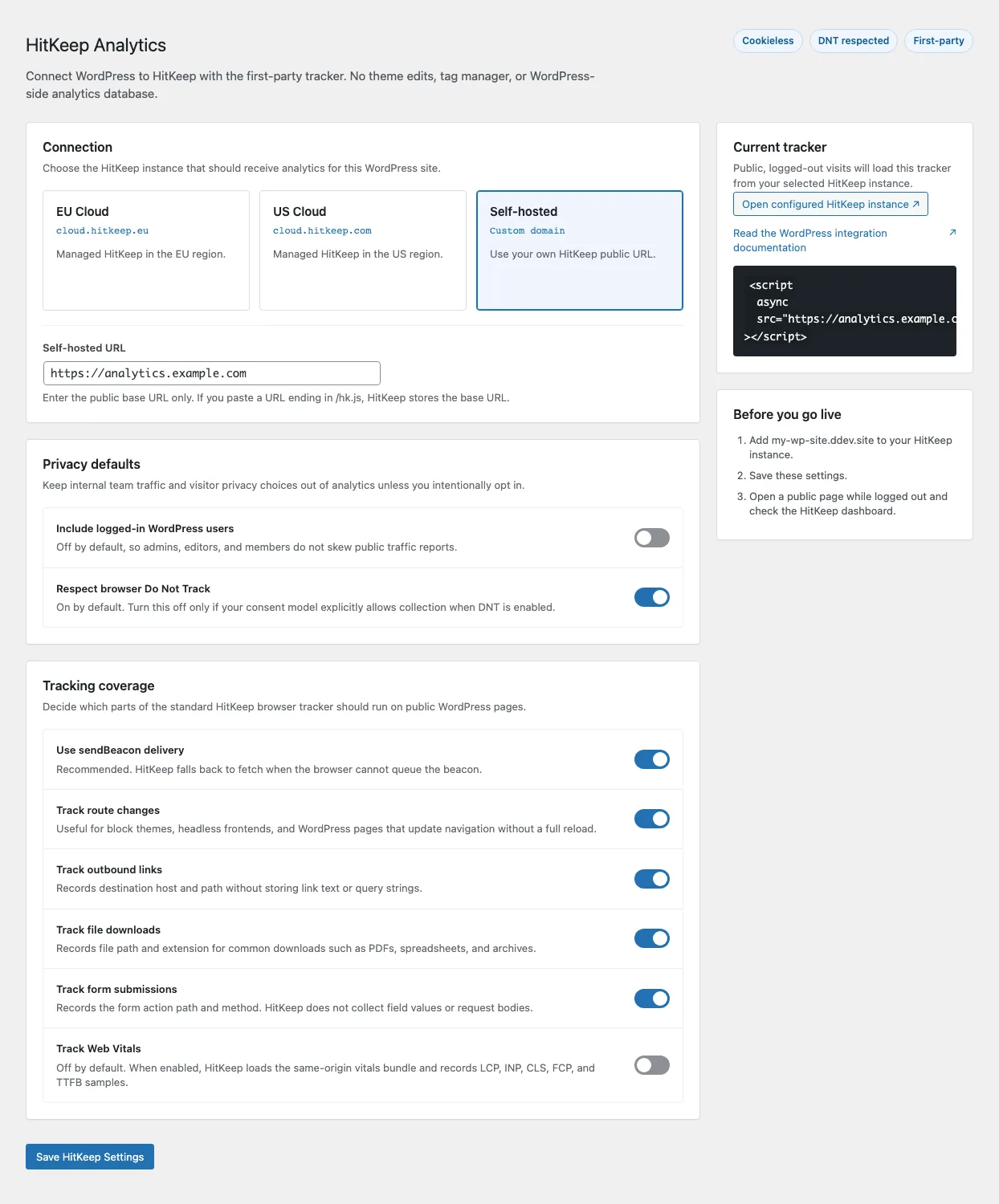
The WordPress settings keep the instance choice, privacy defaults, automatic events, and optional Web Vitals in one place.
What HitKeep should cover for WordPress
Most WordPress sites need fairly grounded answers:
- Which pages and posts get traffic?
- Where do visitors come from?
- Which landing pages work?
- Which outbound links are clicked?
- Which downloads matter?
- Are forms being submitted?
- Which campaigns send visitors?
- Which pages are slow or unstable in Web Vitals?
HitKeep tracks pageviews and automatic events such as outbound clicks, file downloads, and form submissions. Goals and funnels turn plain traffic into actual website questions: did people move from the article to the contact page? Did anyone use the download? Where do visitors leave before the form?
That is not the same ambition as GA4 Explorations. And that is the point. For many WordPress sites, I do not want the most powerful analytics tool. I want the one I will still enjoy opening two weeks later.
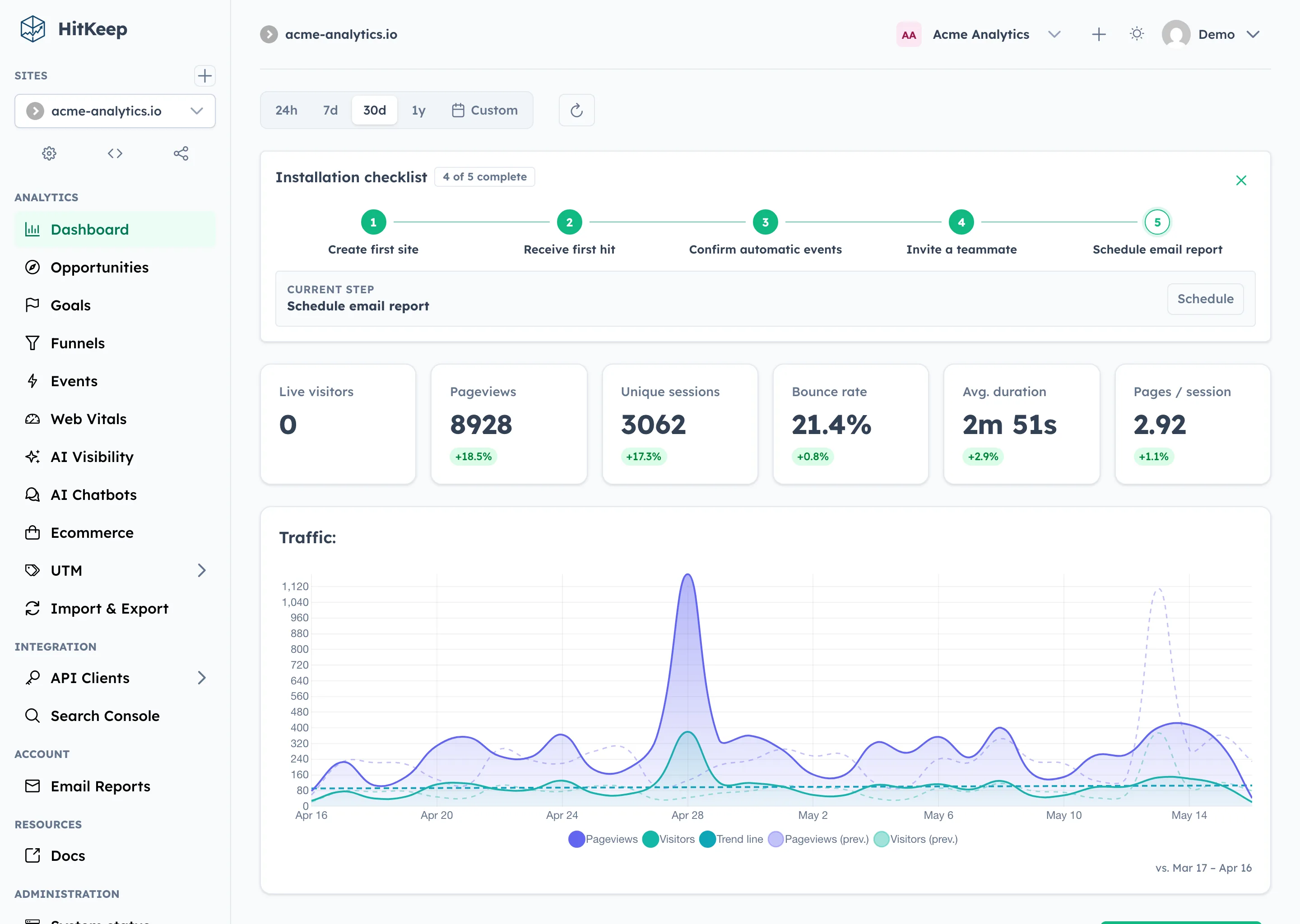
The overview should answer the regular website questions first: which pages work, where traffic comes from, and whether visitors reach important goals.
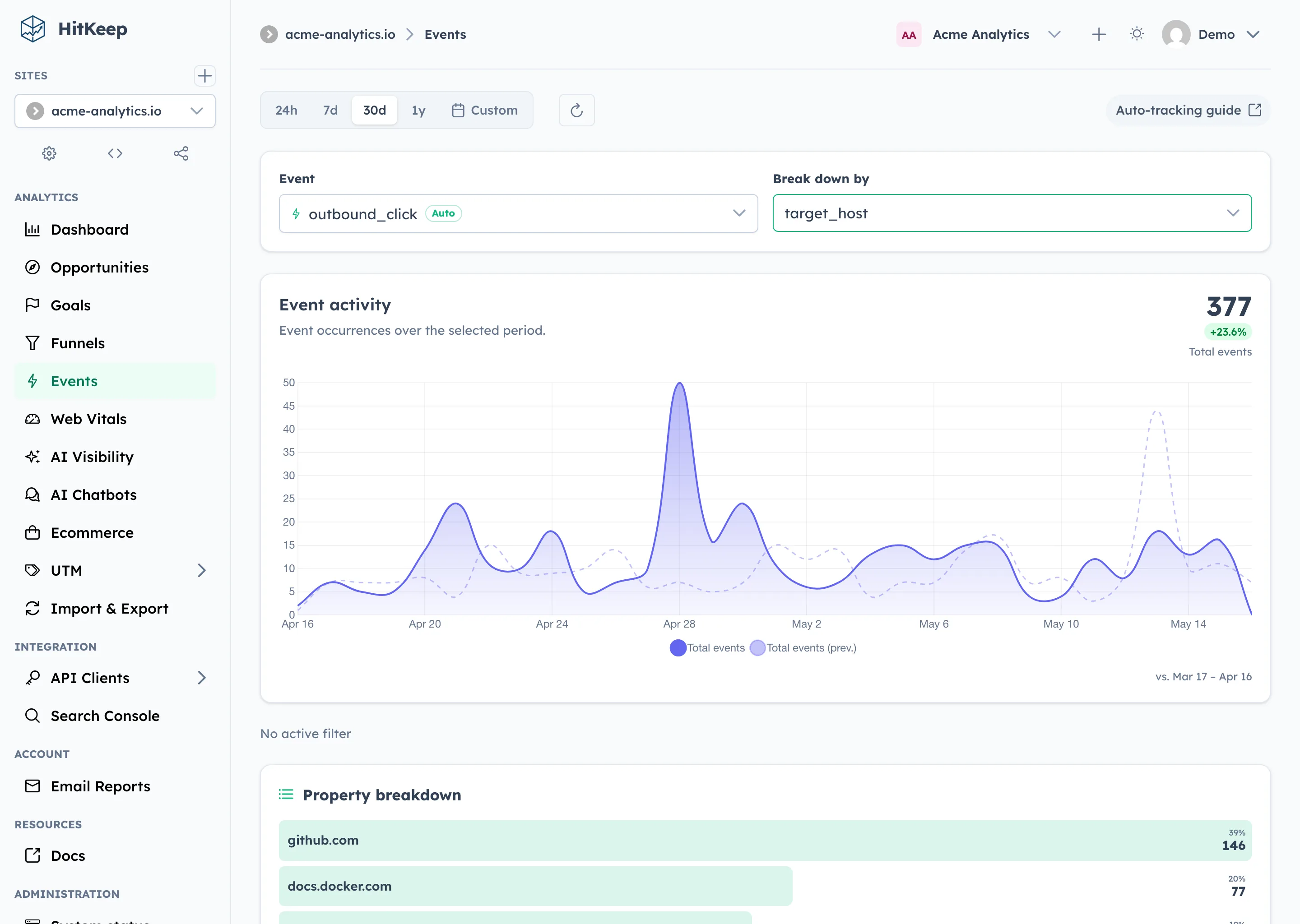
Automatic events make clicks, downloads, and form submissions visible without making every small WordPress site a custom analytics project.
Privacy should be a default, not a cleanup step
One important part for me is that the defaults should be reasonable. HitKeep’s normal browser tracker does not set analytics cookies, respects Do Not Track by default, and does not track logged-in WordPress users by default. Form field values are not collected.
That does not mean “no consent needed everywhere in the world.” Privacy law is not that simple. But it does mean you are not starting with maximum data collection and then trying to configure your way back toward something sensible.
I much prefer that direction.
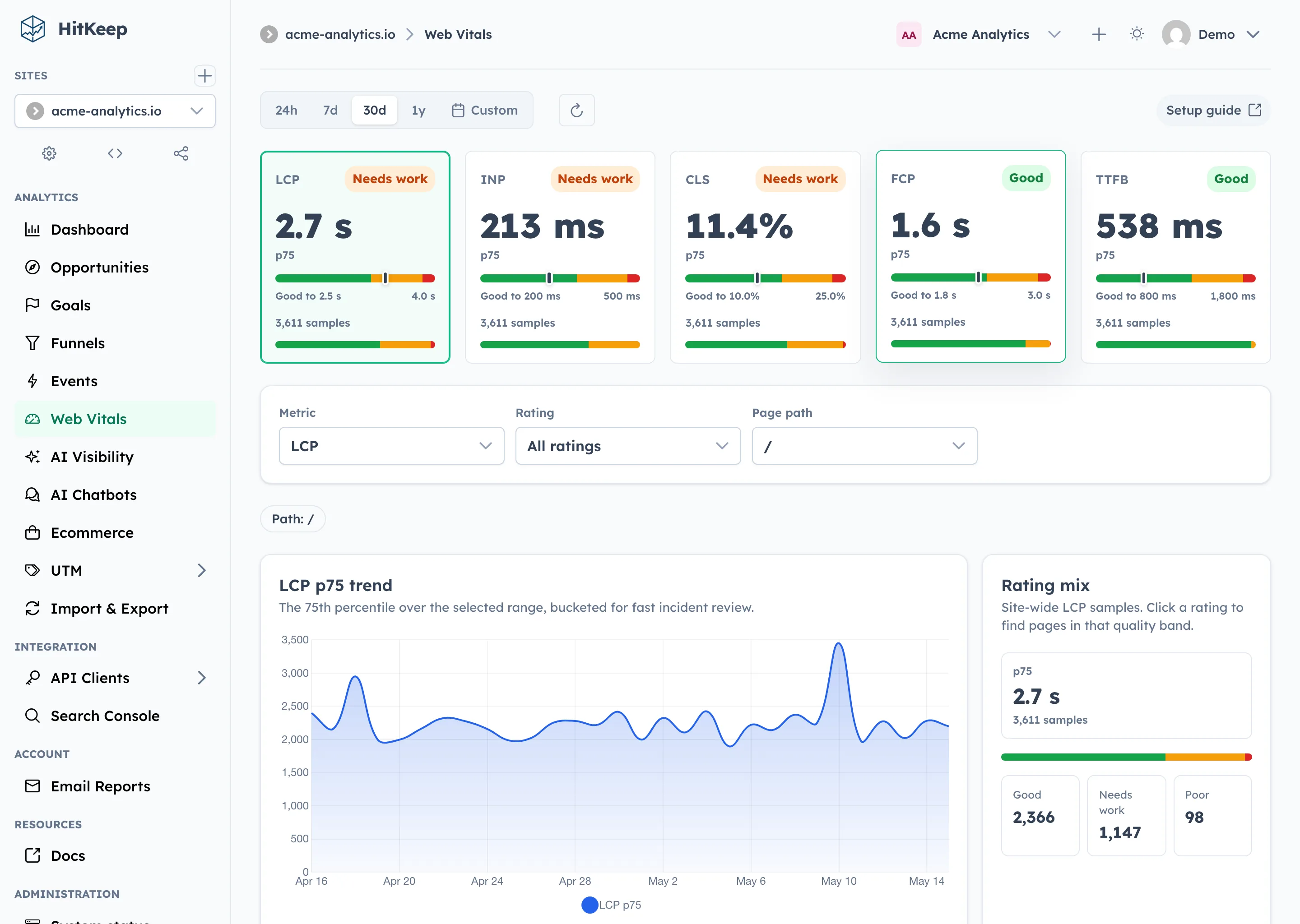
Web Vitals are optional, but useful when you want to see which WordPress templates, plugins, or landing pages are hurting performance.
Why not just keep GA4?
Sometimes you should keep GA4. If Google Ads, BigQuery, app analytics, predictive audiences, or deep exploration workflows are actually part of how you work, pretending otherwise would be silly.
But many WordPress owners do not use GA4 that way. They open it once a month, get annoyed, fail to find the three numbers they wanted, and eventually send somebody a screenshot anyway.
For those sites, my suggestion is pragmatic: run HitKeep next to GA4 for two to four weeks. Then compare:
- Do I get the page reports I actually need?
- Can I see sources and campaigns?
- Do automatic events cover my old GA4 events?
- Are goals and funnels enough for the decisions I really make?
- Are reports easier to share?
If yes, GA4 can go. If no, at least you now know why you are keeping it.
Source and further reading
The more product-specific version of this is in the HitKeep docs: Google Analytics Alternative for WordPress.
That page goes into the plugin, settings, automatic events, goals, funnels, UTM reporting, Search Console imports, and Web Vitals. This post is the personal part: I think analytics for many WordPress sites is allowed to become more boring again. In the best possible way.
HitKeep is one example of how I approach durable web-platform engineering. You can also see it alongside my other selected software projects or read how I handle sources, verification, and AI-assisted work in my editorial policy.